Description
Answer in your customer’s language, without juggling three tabs
A customer writes to you in German, a supplier in Spanish… To understand or reply, you have to leave Dolibarr, open a translation site, copy, paste, copy back.
On-demand translation adds a « Translate » button right in the e-mail form and in the creation and editing of e-mail templates. A small window opens: you get the translation in a few seconds, ready to paste.
Simple and fast
- Highlight a text then click « Translate »: it is taken into the window and translated immediately.
- Or type / paste your text, with its formatting (bold, lists, links) if you enable rich input.
- Choose the source and the target language, side by side, with their flag.
- The translation is copied to the clipboard automatically.
- A click on « Finish » can even replace the highlighted text with its translation, right in your message.
- A cross closes the window without changing anything.
The translation service of your choice
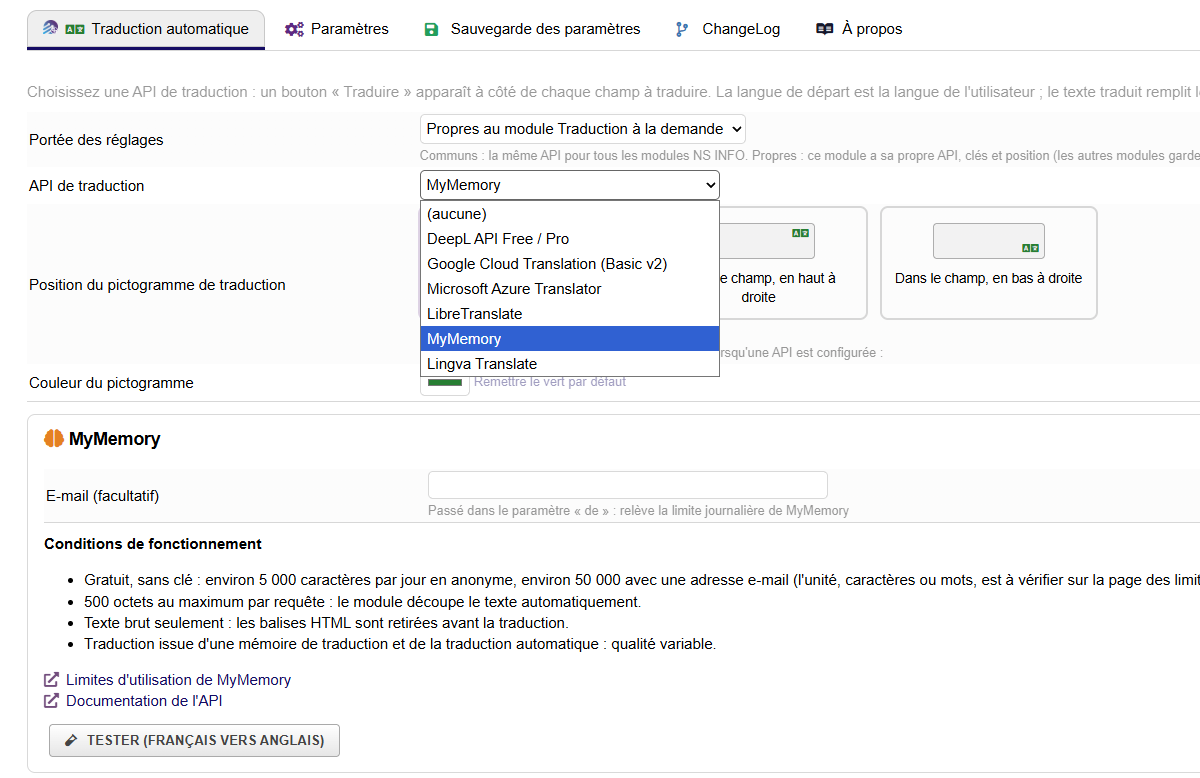
Choose DeepL, Google Cloud Translation, Microsoft Azure Translator, LibreTranslate, MyMemory or Lingva, and enter your access. The list of languages offered is the one of the service chosen. The module stores neither your texts nor their translations.
Your product sheets translated in a few clicks
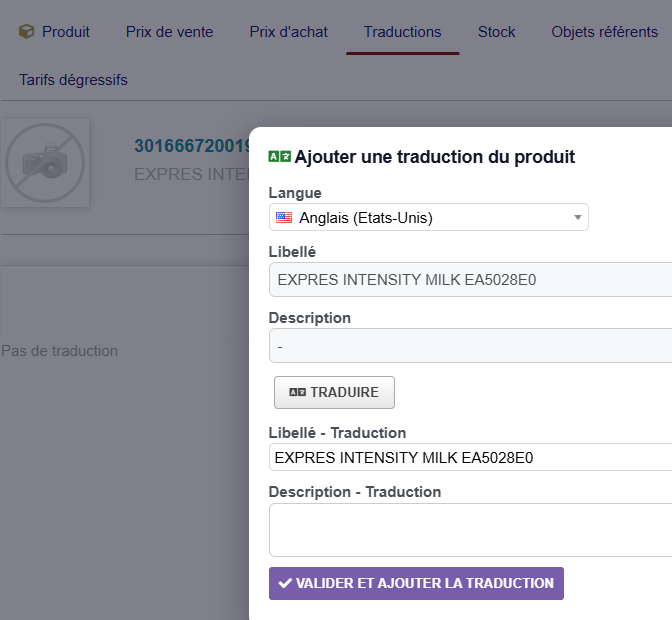
On the Translation tab of a product, a button offers the available languages: the label and the description are translated automatically, you review them, then validate to add the translation to the product.
Your PDFs in your customer’s language
Optionally, the description of the product lines that have no translation is translated automatically when a quote, an order or an invoice is generated in another language, without changing the document.
Controlled by permissions
A « Use the on-demand translation » permission reserves the feature for authorized users: without it, the button does not appear.
Configurable to your needs
- Default translation language, chosen with its flag.
- Button with picto and text, picto only or text only, with the text and colors of your choice (live preview).
- Rich input, button in e-mail templates, replacement of the highlighted text: each option can be enabled or disabled, with a one-click return to the default value.
- Settings saved as soon as they change, settings backup exportable to another Dolibarr.
- Works on mobile.
Highlights
- ✅ « Translate » button in e-mails and e-mail templates
- ✅ Immediate translation of a highlighted text
- ✅ Automatic copy to the clipboard, optional replacement of the highlighted text
- ✅ Languages chosen with their flag, list provided by the translation service
- ✅ Six translation services to choose from
- ✅ PDF in another language: product descriptions without translation translated automatically (option)
- ✅ Button to add a product translation: label and description translated automatically, editable before validation
- ✅ Dedicated permission
- ✅ No Core modification
Compatibility
- Dolibarr 20.0 to 24
- PHP 7.4 to 8.3
- Prerequisite: NSINFO framework (module NSINFO) version 23.9.5 or later, installed and enabled
- An account with the translation service chosen (some offer a free quota)
- Languages: French, English, German, Spanish, Italian







Reviews
There are no reviews yet.