Description
A full backup, without going through the server
Backing up Dolibarr is not just exporting the database: you also need the documents (generated PDFs, attachments, images…) and the installed external modules. With the standard tools, this takes several steps, or even access to the server.
ToolsZipData brings everything together on a single page: one click, and the files are ready to download.
One click to back up
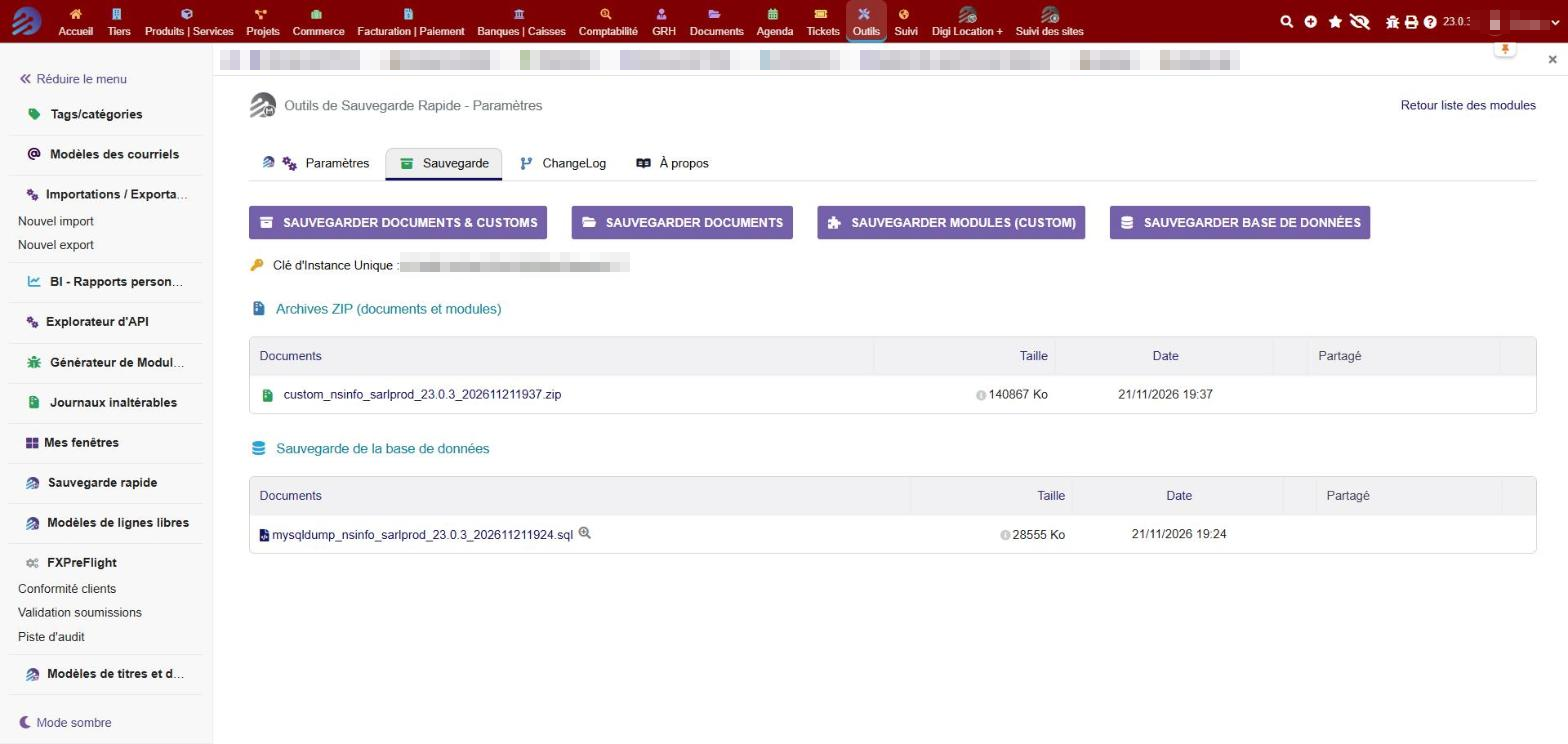
Four buttons, in the Backup tab of the module:
- Full backup: database, documents and external modules.
- Documents only.
- External modules (custom directory) only.
- Database only.
Each button only replaces the backup of its own type: the backups of the other types stay in place. A message confirms the end of the backup, or reports the error encountered. A file that the web server cannot read is left out and reported in this message, so that its rights can be fixed; the archive is still created.
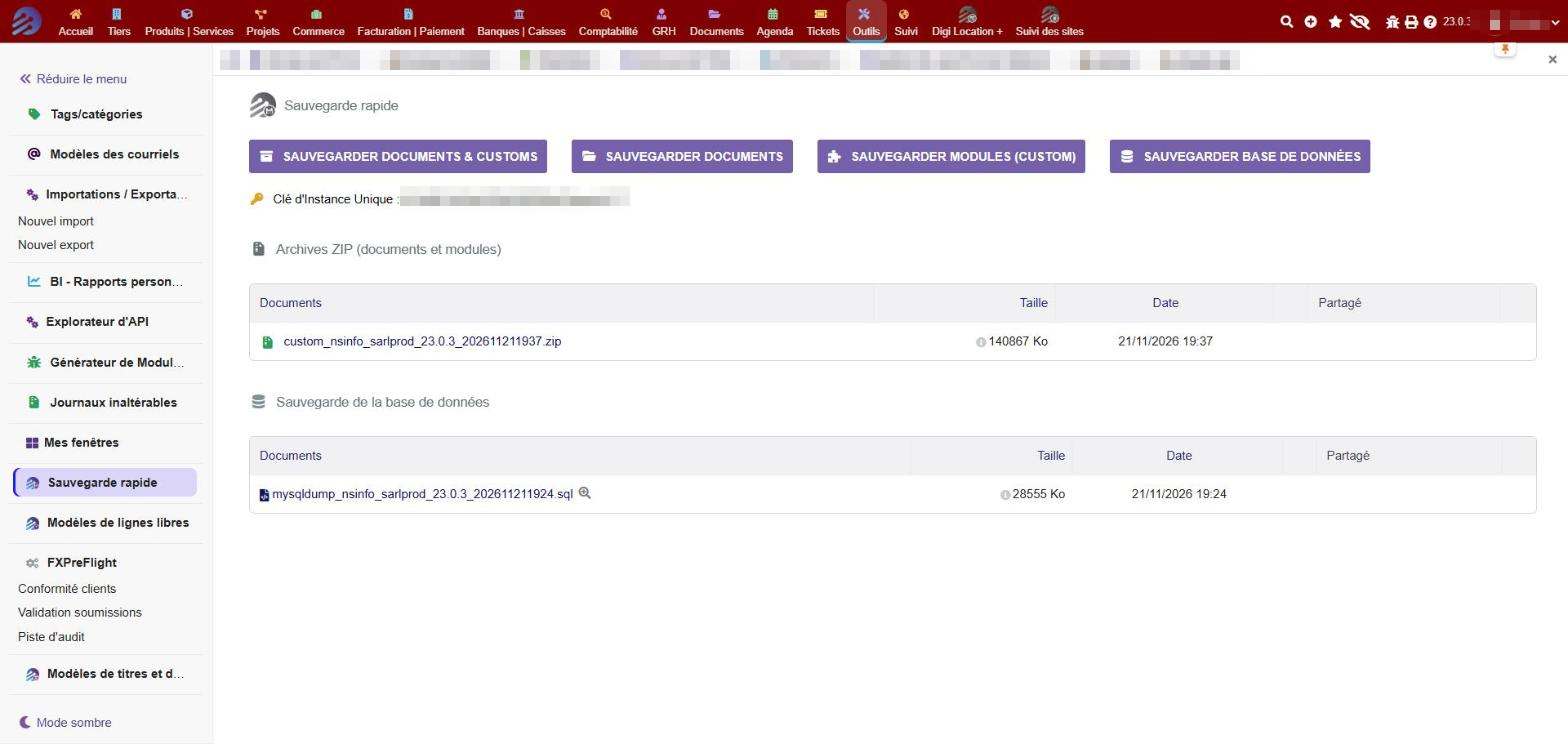
Backup from the Tools menu
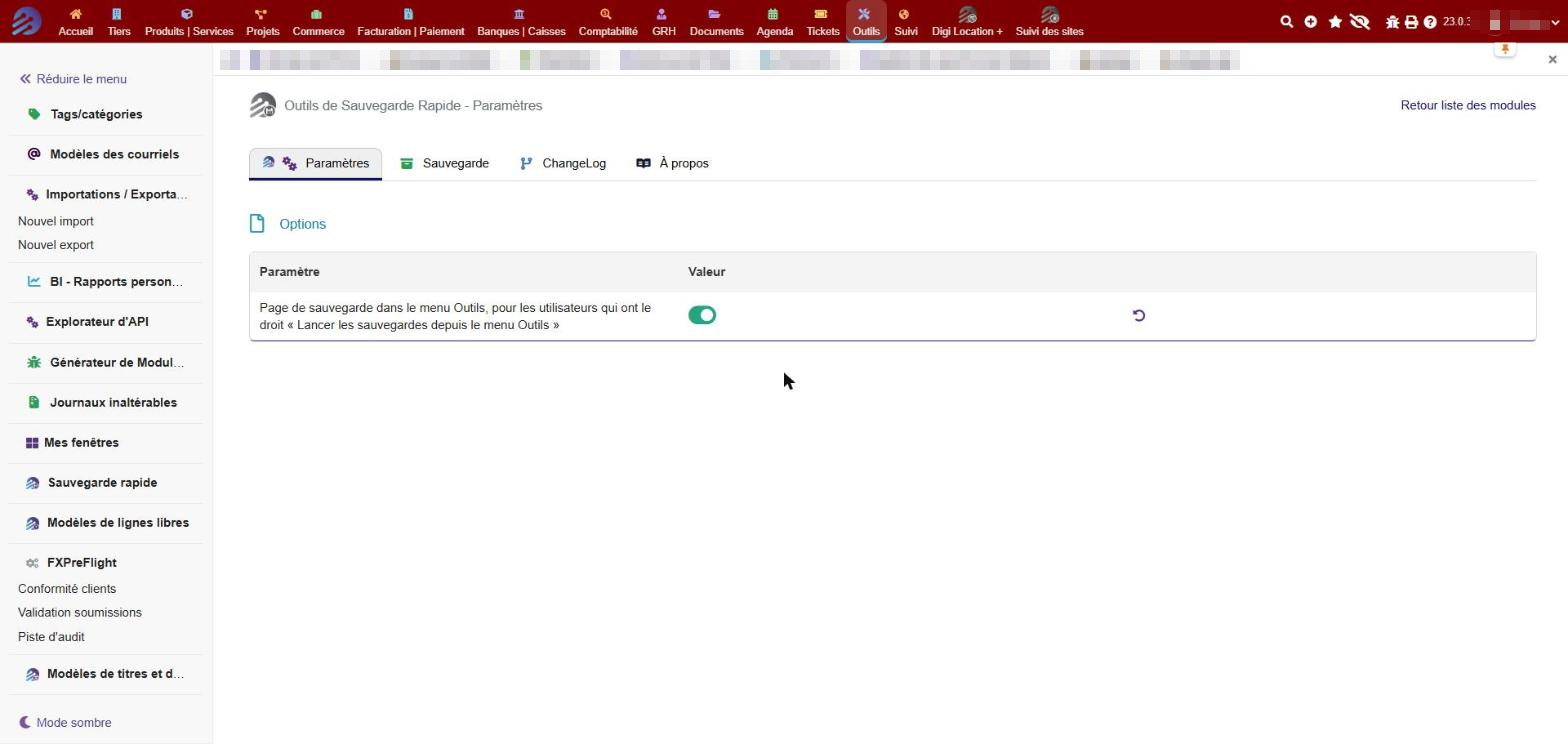
A Quick backup page can be added to the Dolibarr Tools menu, for users who are not administrators. It offers the same buttons, instance key and file lists. It is enabled by a setting option, and each user must be granted the right Launch the backups from the menu Tools and download the archives. Option disabled: no menu entry and no page, even with the right.
Clear files, ready to download
- The database in an SQL file (MySQL / MariaDB).
- The documents and the external modules in ZIP archives.
- Each file name shows the database, the Dolibarr version and the date of the backup.
- Download or delete them directly from the module, or get them from the server (FTP…).
- Only one backup of each type is kept: download the files you need before starting a new one.
- Lighter archives: temporary files, logs, image previews and old copies are excluded.
Automatic backup
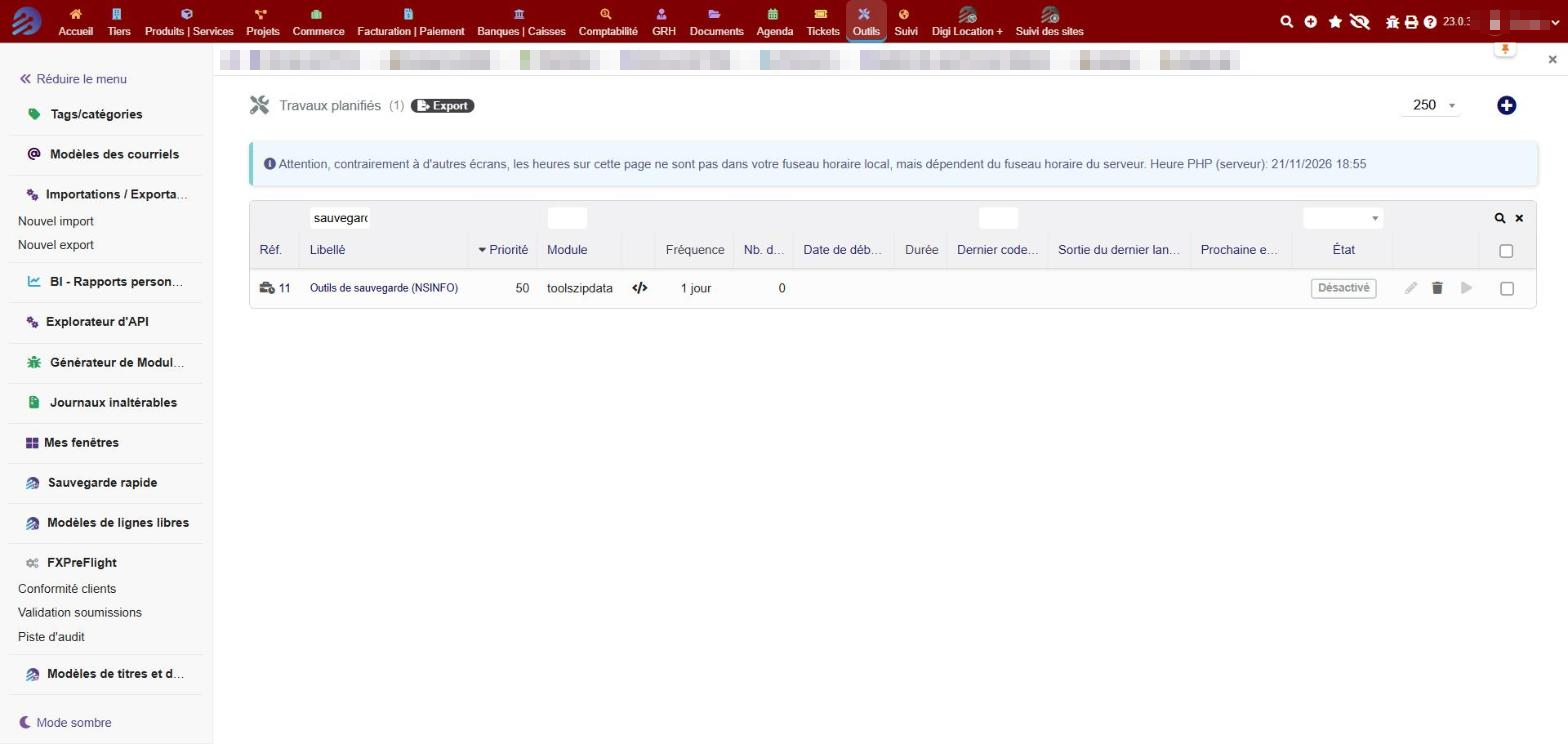
- A scheduled job is provided, created disabled: enable it for a daily backup, or at the frequency of your choice.
- Its Parameters field chooses what is backed up: everything, the documents, the external modules, the database, or a combination.
- If a run fails, the result of the scheduled job reports the error.
Ready for restore
- The unique instance key is shown on the page, with a copy to clipboard button: keep it with your files, it is required to fully restore Dolibarr.
- A step-by-step documentation explains how to restore on a new server.
Simple and safe
- One option to set: the Quick backup page in the Tools menu, disabled by default.
- Settings and backups are restricted to Dolibarr administrators; other users only see the page if they have the dedicated right.
- No change to the Dolibarr core.
Highlights
- ✅ Database, documents and external modules in one click
- ✅ Full or partial backup, your choice
- ✅ Automatic backup with a scheduled job
- ✅ Quick backup available to authorized users from the Tools menu
- ✅ Direct download from Dolibarr
- ✅ Unique instance key copied in one click
- ✅ Unreadable files reported without interrupting the backup
- ✅ No core modification
Compatibility
- Dolibarr 19.0 to 24.0
- PHP 7.4 to 8.3
- MySQL or MariaDB database (mysqldump command available on the server)
- Requirement: NSINFO framework (module « NSINFO ») version 23.3.1 or higher, installed and enabled
- Languages: French, English, German, Spanish, Italian






Reviews
There are no reviews yet.