Description
The right price for the quantity and the customer
Your customers buy more, you sell cheaper: Dolibarr has to follow. Tiered pricing lets you declare, for each product or service, quantity price tiers, general or reserved to a customer.
As soon as a product is added to a document with a quantity, the price of the matching tier is applied. With no tier, the usual sell price of the product is kept.
Simple to enter
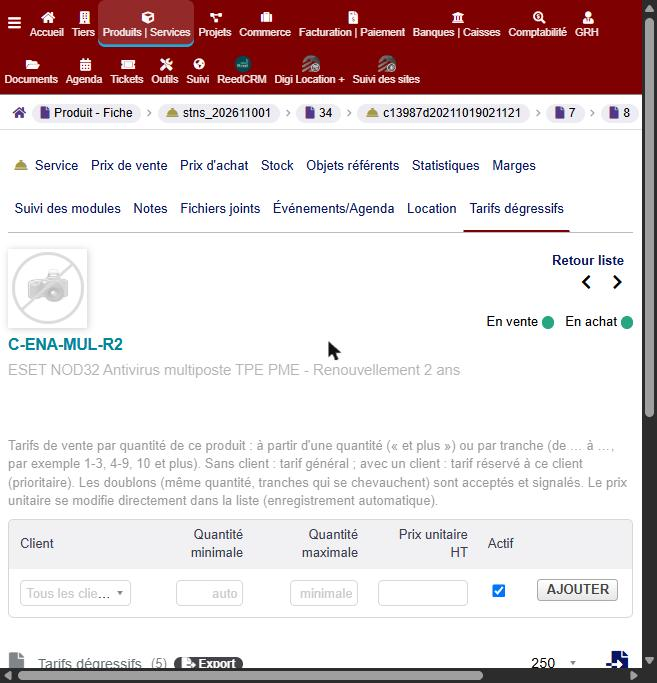
- A « Tiered pricing » tab on the product card: one tier per line (optional customer, minimum quantity, optional maximum quantity, unit price excl. tax).
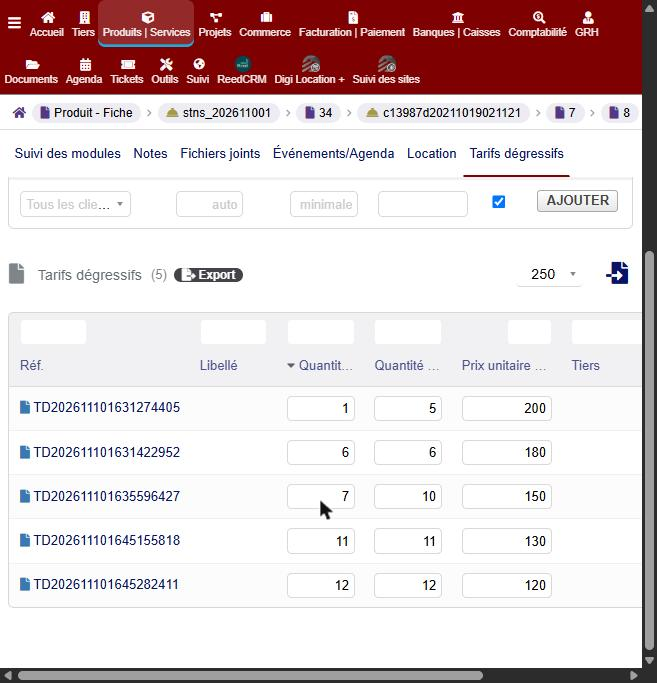
- Ranges: 1 to 3, 4 to 9, 10 and more (+ in the maximum quantity = « and more »). Only the minimum quantity typed: the price applies to this quantity (option, enabled by default).
- Duplicates accepted and signalled: the same quantity twice or overlapping ranges are flagged by a badge in the list.
- An empty quantity takes the first free value (1, 2, 3…).
- The unit price and the minimum and maximum quantities are edited directly in the list, saved automatically.
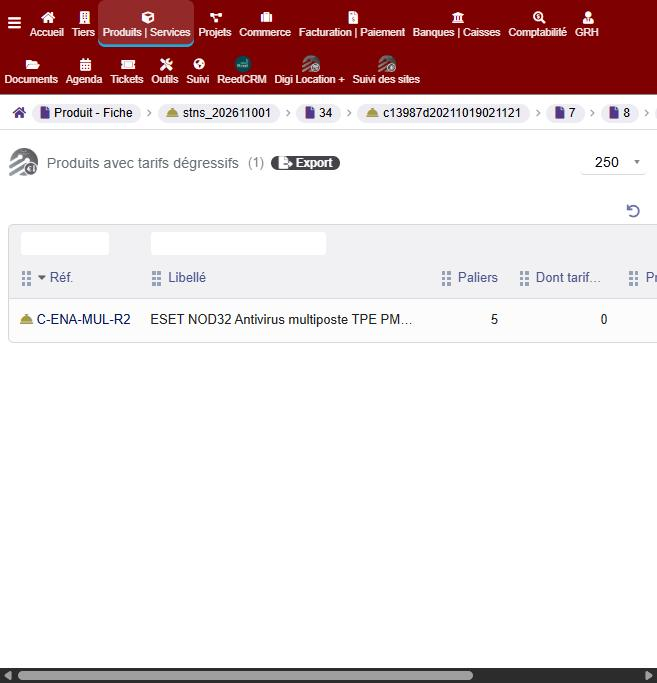
- A list, in the Products menu, of the products that have a tiered price.
- A tab built as a standard Dolibarr list: filters, extra fields, column choice, deletion of several tiers at once.
- File import (csv, xls, xlsx) by drag and drop: third party (empty = all customers), quantity or range (1-3, 4 to 9, 10+), price excl. tax, optional maximum quantity; an existing range gets its price updated; a line with only a quantity can ignore the maximum quantity of the existing tiers (choice in the import window).
Applied in your documents
- Adding a line: the tier price replaces the default price.
- Changing a quantity: the price is redone in the field, then when the line is saved.
- The customer’s price takes priority over the general price.
- A price typed by hand is never overwritten.
One button to update everything
On draft documents, a button goes through all the lines:
- Sales (proposals, orders, customer invoices): sell price from the tiered prices, and buying price of the line from the supplier prices by quantity (up-to-date margin).
- Purchases (price requests, supplier orders and invoices): buying price of the document’s supplier for the quantity.
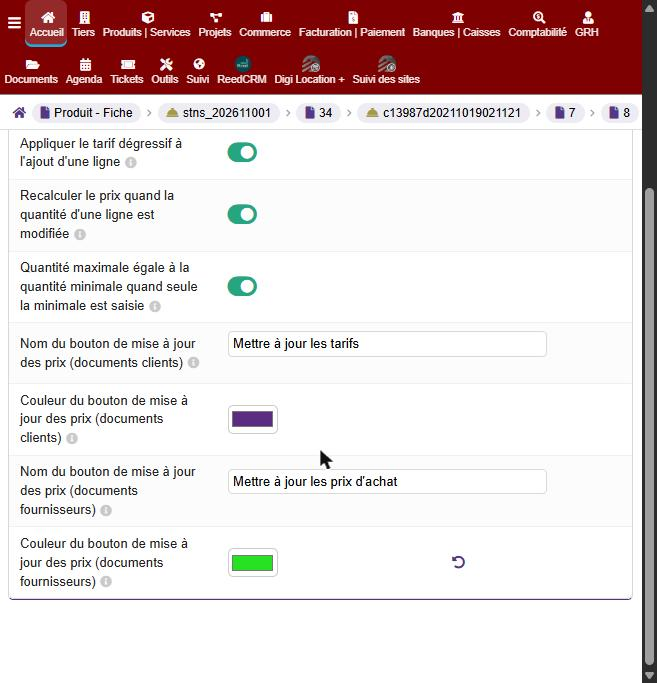
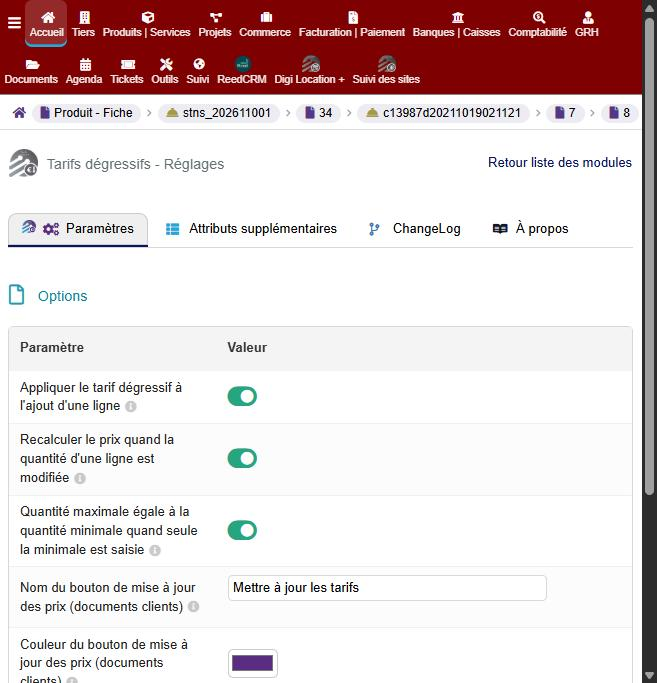
- Name and colour of the button can be set in the module options.
Supplier buying prices
In the supplier prices tab of the product card: buying prices import from a file (supplier chosen in a list, then supplier reference, quantity, VAT, price excl. tax, discount, delay, reputation, customer) and deletion of several prices at once.
Supported documents
- Customers: commercial proposals, orders, invoices.
- Suppliers: price requests, orders, invoices.
Highlights
- Quantity prices, general or per customer, entered in the product card.
- Price applied when a line is added and when a quantity changes.
- Sell and buying prices updated in one click, on draft documents.
- Price edited directly in the list, with no save button.
- Tiers and buying prices import from a csv, xls or xlsx file.
- Customizable button (name, colour), dedicated access rights.
- No change to the Dolibarr core.
Compatibility
- Dolibarr 20 to 24, PHP 7.4 to 8.3.
- Languages: French, English, German, Spanish, Italian.
- Requirement: NSINFO framework (free), version 23.8.0 or later, installed and enabled.






Reviews
There are no reviews yet.