Description
Your long documents finally become readable
On a fifty-line quote, product descriptions fill the entire screen: finding a line, checking a quantity or correcting a price quickly becomes tedious. In Dolibarr, the display of descriptions is a global setting, valid for all documents.
The Tools for Dolibarr module adds an « Enable bulk editing » button to the document page, which hides the descriptions of the lines for this document only: the list becomes compact, and the descriptions remain viewable in the product tooltip. A click on « Normal display » brings them back.
Edit all lines at once
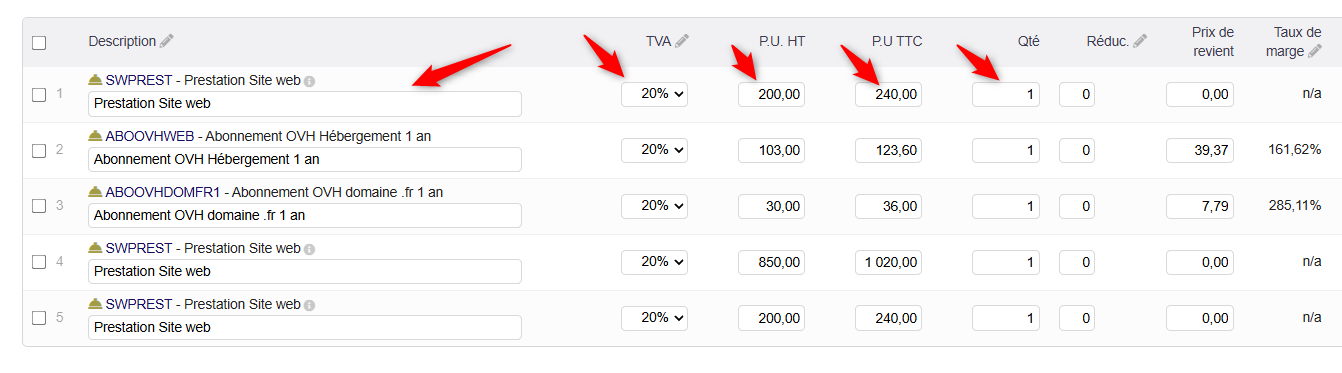
When descriptions are hidden on a draft document, the columns of your choice become input fields directly in the list of lines:
- line label;
- VAT rate;
- unit price excl. and incl. tax;
- quantity and unit;
- discount;
- purchase price (customer documents, with the Margins module).
A single « Save the lines » button (or the Enter key) saves all modified lines, recalculates the totals and regenerates the PDF. No need to open each line one after another.
Delete several lines at once
A checkbox in front of each line, a « select all » checkbox and a trash icon: the checked lines are deleted after confirmation, then the document is recalculated.
Safe and controlled
- Saves are all or nothing: if one value is invalid, no line is modified; the lines in error are indicated.
- Checks: numeric values, discount between 0 and 100%, products’ minimum selling price (customer documents).
- While descriptions are hidden, adding lines and the Validate, Clone and Delete buttons are disabled: return to normal display before finalizing the document.
- Changes respect the user’s Dolibarr permissions and are only possible on draft documents.
- PDF documents are not modified by hiding the descriptions.
- No modification of the Dolibarr Core.
Reading comfort on every page
General options, valid throughout Dolibarr:
- action buttons bar always visible at the bottom of the screen;
- tabs of the pages always visible at the top of the screen;
- column titles of the lines always visible while scrolling;
- in lists, column titles always visible, the search area disappearing with scrolling;
- breadcrumb always visible at the top of the screen, when the Breadcrumb module is active;
- login page: login and password fields always white, even when filled in by the browser.
Calendars and a clock for all your dates
- In lists, the two date filters « from » and « to » become a range calendar: drag from one day to another, with the mouse or a finger, and the filter is applied immediately.
- On Dolibarr cards (customer and supplier invoices, proposals, orders, contracts, salaries, expense reports, accounting, agenda…) and on the invoice payment pages, dates are chosen in a one-day or range calendar; when editing, the date is saved as soon as it is chosen.
- The « hour » and « minute » lists are replaced by a clock, as on Android.
- The pages of complementary modules benefit too, with nothing to enable.
- Each calendar can be disabled separately in the settings (needs the NSINFO module 23.9.0 or higher).
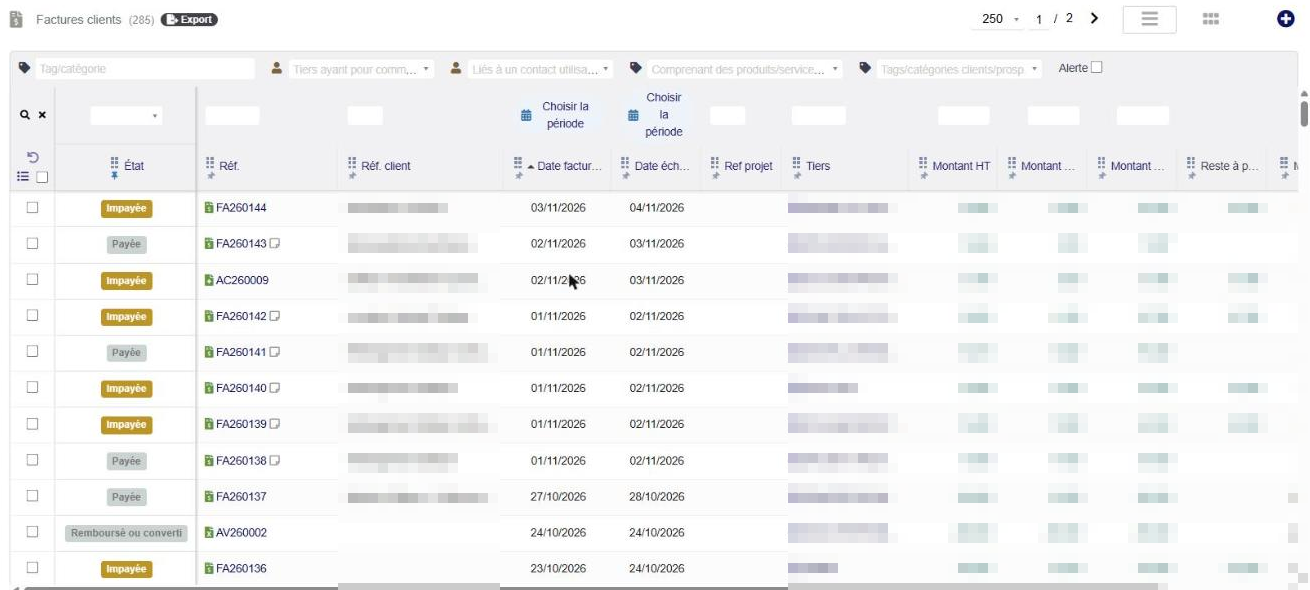
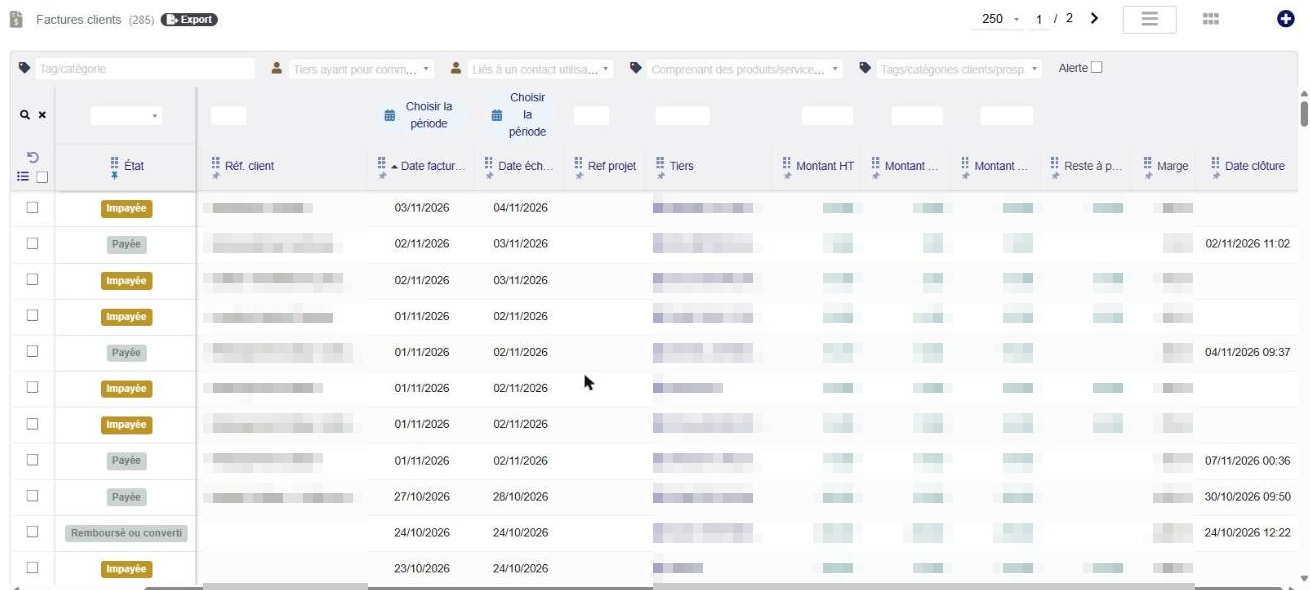
Movable and resizable list columns
- Each user moves the columns of the lists by dragging the handle of the title, and sets their width by dragging the right edge of the title, with the mouse or a finger.
- The order and the widths are saved for each user, list by list; a button restores the original order and widths.
- Lists of Dolibarr and of complementary modules, with one switch per list in the settings.
- New in version 23.3.2: the lists of supplier and customer payments, bank accounts, direct debits (orders, lines, requests, rejects, invoices of a slip) and partnerships are now supported, and the search band above the table follows the width of the columns.
Drop your files with a simple drag
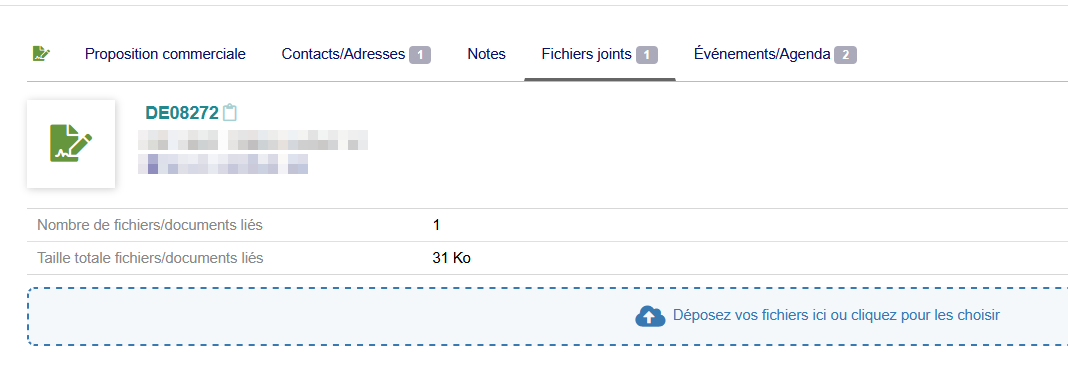
- A drag and drop zone just under the information table (otherwise above « Linked files and documents »), on Dolibarr cards and complementary modules.
- One or several files, sent with the standard form (same rights, same controls) and a progress bar.
- One switch by Dolibarr page and by complementary module.
Configurable document by document
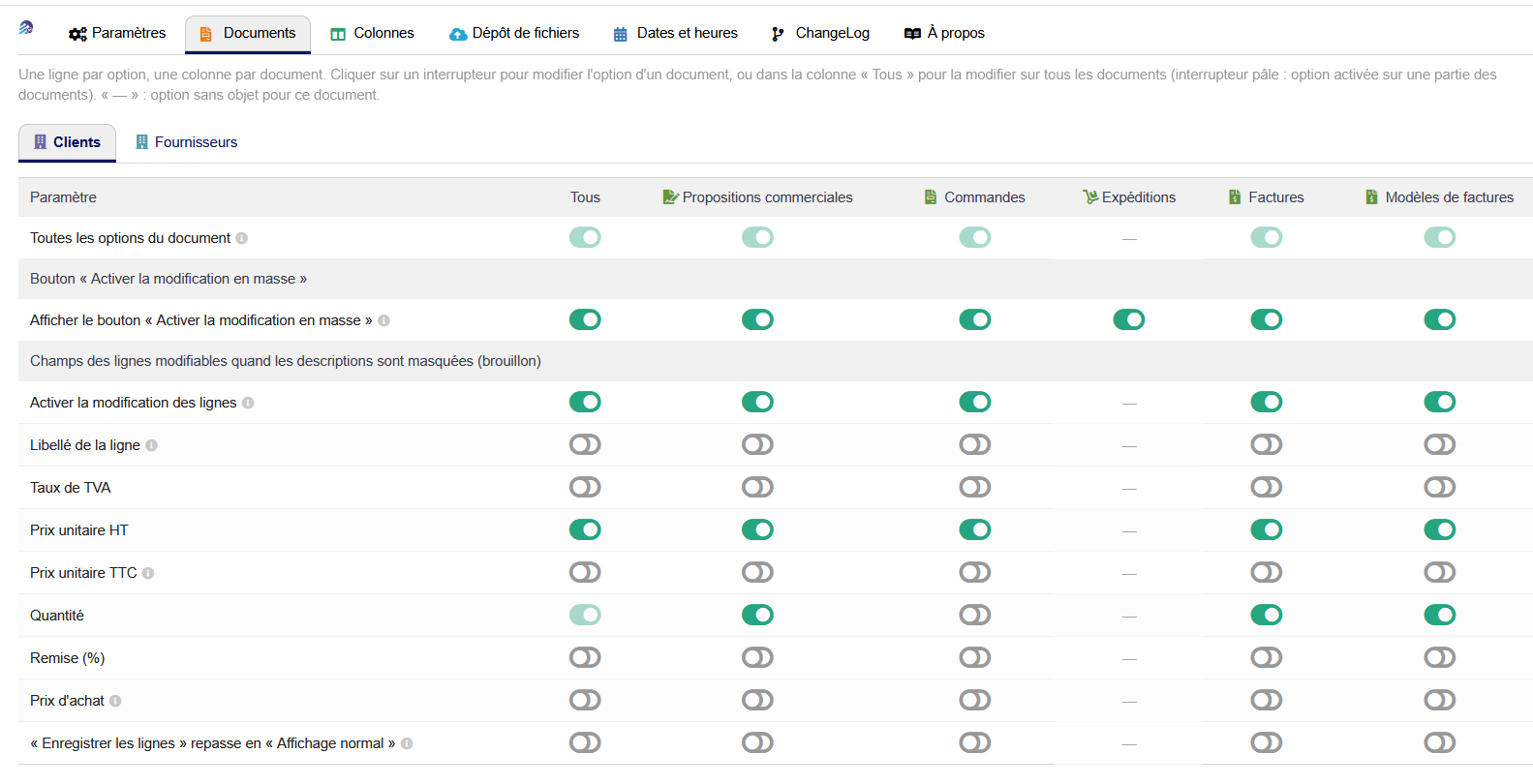
- A Customers settings tab and a Suppliers settings tab, shown as a table: one row per option, one column per document, and an « All » column to change an option on all the documents in one click.
- For each document: activation of the button, choice of editable fields, automatic return to normal display after saving.
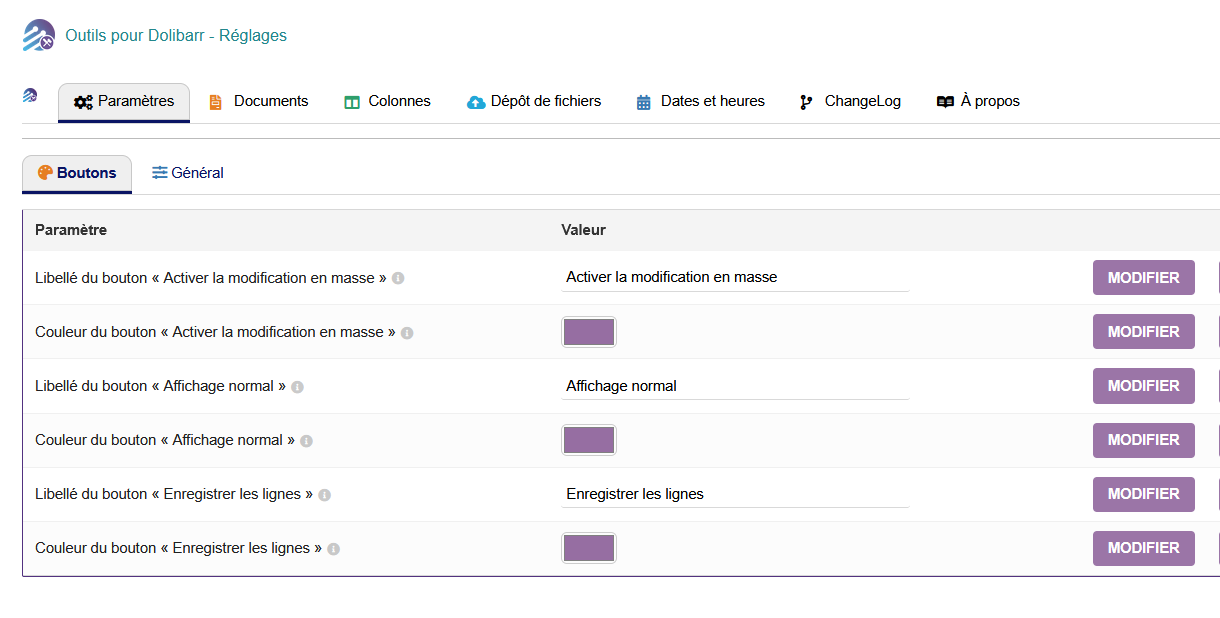
- Button labels and colors can be customized, with icons (pencil, open eye, floppy disk).
- New: a Backup of the settings tab exports the module settings to a JSON file and imports them on another Dolibarr.
Highlights
- ✅ Compact list of lines, document by document
- ✅ Direct editing of quantities, prices, discounts, VAT and labels in the list
- ✅ One click to save all lines, PDF regenerated
- ✅ Deletion of several lines at once
- ✅ All-or-nothing saving, minimum price respected
- ✅ Ten customer and supplier document types
- ✅ Buttons, tabs and column titles always visible
- ✅ Calendars and clock in lists and cards
- ✅ Movable and resizable list columns
- ✅ New: payments, bank accounts, direct debits and partnerships added to the lists with movable columns
- ✅ New: backup of the module settings in JSON
- ✅ Drag and drop file upload on the Documents pages
- ✅ No modification of the Core
Compatibility
- Dolibarr 19.0 to 24.0 (tested on Dolibarr 22.0 and 23.0)
- PHP 7.4 to 8.3 (tested on PHP 7.4)
- Prerequisite: NSINFO framework (module « NSINFO ») version 23.9.7 or higher, installed and enabled
- Languages: French, English, German, Spanish, Italian








Reviews
There are no reviews yet.