Description
Your documents finally say everything you need
A technical detail under a product, a specific condition before the total, a delivery instruction at the top of the delivery note, a commercial notice between two groups of products… With Dolibarr, you had to misuse a product line or overload the notes of the document.
NsFreeLine adds real free lines to your documents: text, formatted the way you want, placed exactly where you want, and neatly printed in the PDF.
Easy to use
- An « Add a line » button on the document card.
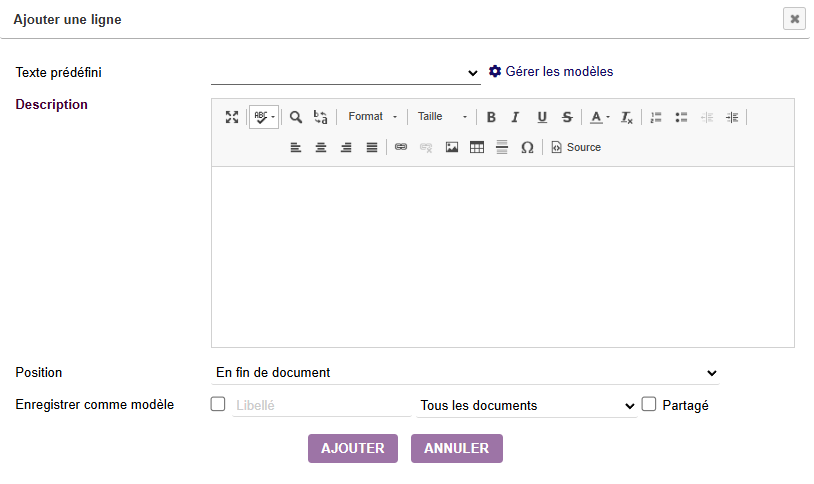
- A dialog to type your text as rich text (bold, italic, colors, lists…) or pick a predefined text.
- Choose the position: start of the document, after any line, or end of the document.
- Edit, delete or move the line like any other line, including by drag and drop.
A flawless PDF
- The text is printed at the chosen position, with its formatting.
- Reference, quantity, price, discount, VAT and total columns stay empty for these lines.
- The totals and VAT of the document do not change.
- Works with the standard Dolibarr PDF templates and with the DPersoPlus templates.
Your delivery notes too
The delivery note is often the document most read by your customers and carriers: NsFreeLine finally lets you give them the right information, in the right place.
- Automatic copy: the free lines entered in the order are copied to the shipment when it is created, at the same position relative to the products.
- Direct addition on the shipment: the same « Add a line » button is available on the draft delivery note, to place a line at the start, after any product, or at the end.
- Clean printing: on the delivery note PDF, free lines show no ordered quantity, no quantity to ship, no weight and no volume; quantity totals do not change.
- Ideal for delivery and handling instructions, packing instructions, opening hours or on-site contact, reservation or compliance notices…
Lines that follow your documents
- Free lines are real lines of the document: they follow the conversions proposal → order → invoice, and go from the order to the delivery note.
- The free lines of an invoice template are included in every generated invoice.
Predefined texts to save time
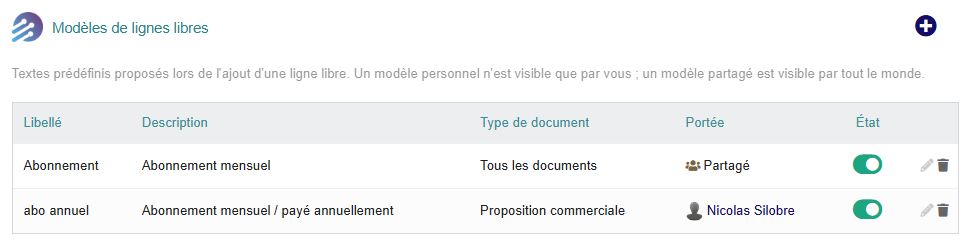
- Save your recurring sentences as models: warranty terms, lead times, legal notices, delivery instructions…
- Personal models or models shared with the whole team.
- Models for all documents or for one type of document: only the relevant texts are offered.
- Create them directly from the add dialog (« Save as model ») or from the Tools > Free line models menu.
Works with your other modules
- A single button with the module NsSubtotal (titles and subtotals): « Add a line » becomes an entry of its drop-down menu.
- Takeover of the lines of the Subtotal module: an administration tab migrates, on request, the existing free text lines (validated invoices are never modified), and lines copied when a document is cloned are converted automatically.
Configurable and secure
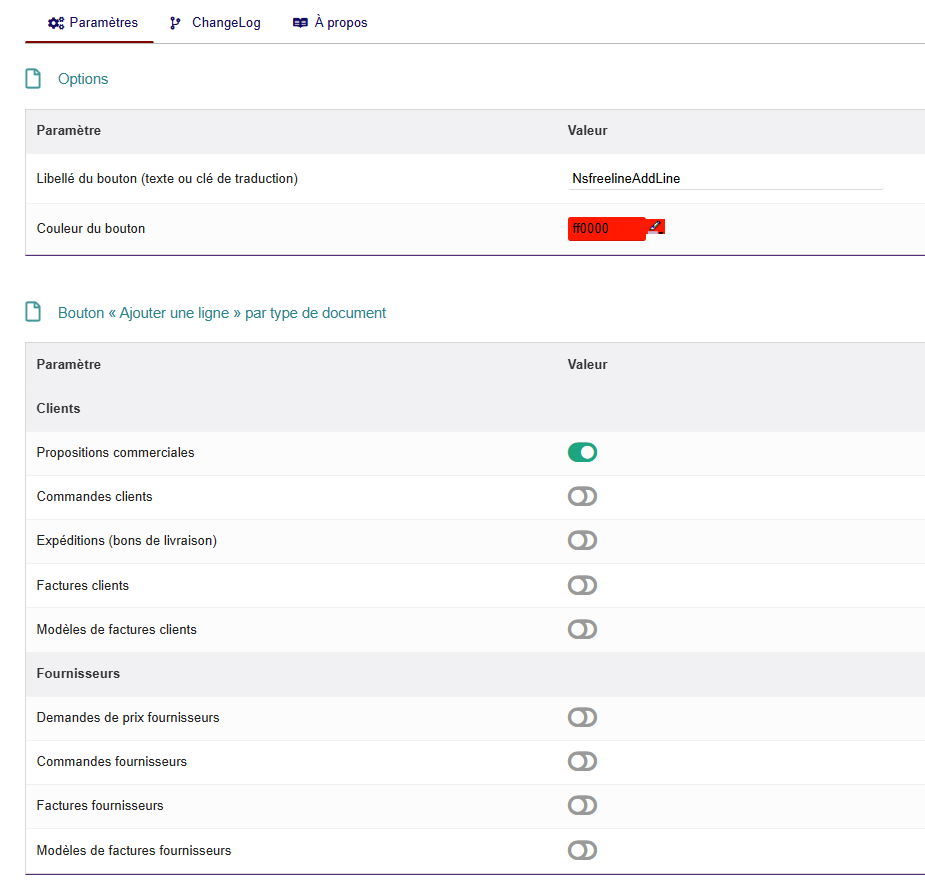
- Button enabled document type by document type, with an « Enable all / disable all » option.
- Customizable button label and color.
- Two permissions: manage one’s own personal models, or manage the shared models of the whole company.
- Lines can only be added and edited on draft documents, according to the user’s Dolibarr permissions.
- No change to the Dolibarr core: safe installation and uninstallation.
Highlights
- ✅ Rich text, placed wherever you want
- ✅ Clean PDF, totals unchanged
- ✅ Delivery notes included: copied from the order and added directly, with no quantity or weight
- ✅ Follows document conversions and recurring invoices
- ✅ Library of personal or shared predefined texts
- ✅ Nine types of customer and supplier documents
- ✅ No core modification
Compatibility
- Dolibarr 19.0 and higher (tested on Dolibarr 22.0)
- PHP 7.1 and higher (tested with PHP 7.4)
- Requirement: NSINFO framework (module « NSINFO ») version 23.9.5 or higher, installed and enabled
- Languages: French, English, German, Spanish, Italian







Reviews
There are no reviews yet.